

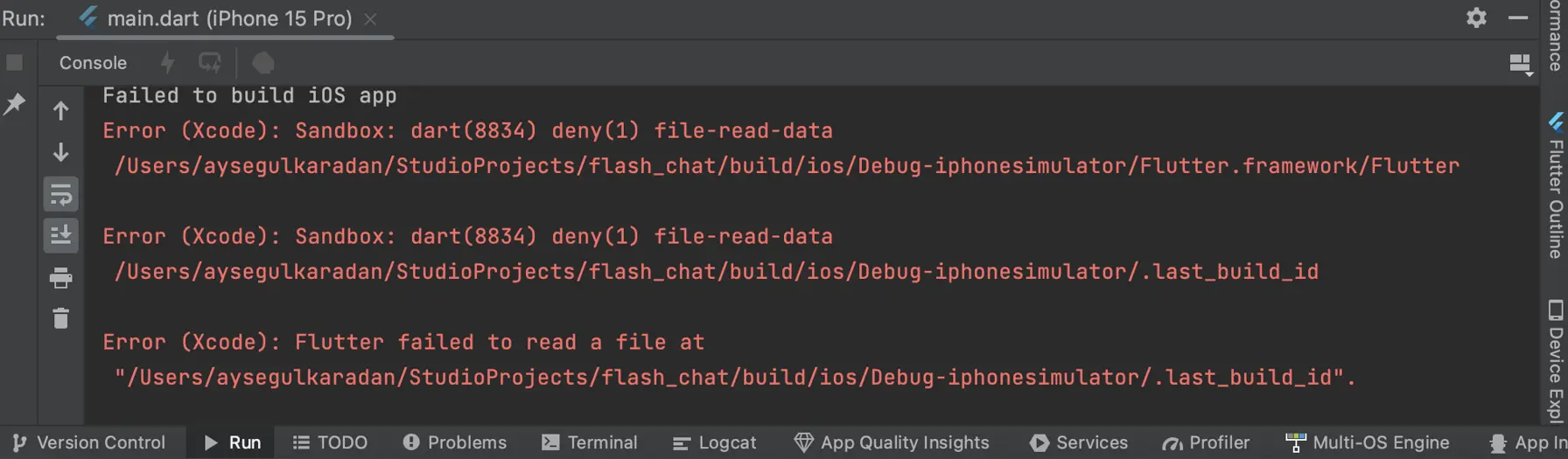
Failed to Build iOS App Error (Xcode): Sandbox Fix
Fix the 'Failed to build iOS app Error (Xcode): Sandbox: rsync.samba deny file-write-create' error in Flutter. Simple solution by disabling User Script Sandboxing in Xcode.
Failed to Build iOS App Error (Xcode): Sandbox
Error (Xcode): Sandbox: rsync.samba(1885) deny(1) file-write-create
Error (Xcode): Sandbox: dart(1863) deny(1) file-write-create
Error (Xcode): Flutter failed to write to a file at
Could not build the application for the simulator.
If you're a Flutter developer building an iOS application and you've encountered these error messages in Xcode, you're not alone. Here is the simple solution.
The Error Explained
The error messages indicate a problem with file-write permissions during the Flutter iOS build process. Xcode's sandboxing is blocking Flutter from writing necessary files.
The Solution
- Open Xcode and load your iOS project.
- In the project navigator, locate the Runner folder.
- Click on Runner to select it.
- Open the Build Settings tab for the Runner target.
- In the search bar, type User Script Sandboxing.
- Change the value from Yes to No.
- Save your changes and rebuild.
Why This Works
Changing "User Script Sandboxing" to No disables sandboxing for user scripts, allowing Flutter to write necessary files without permission issues.
Conclusion
By changing the User Script Sandboxing option to No in Xcode Build Settings, you can resolve the sandbox file-write error and successfully build your Flutter iOS application.